Counter and till
A sale with the keyboard, no mouse.
Pharivo's counter is driven with the scanner and the keyboard, on a 1366 x 768 screen: the whole basket stays visible, the change shows in large figures, and stock leaves with the sale, batch by batch.
Counter and till
Scan, quantity, batch
Each scan adds a line; a second scan of the same product increases its quantity. A box read by its Data Matrix comes out of its own batch, the others from the batch closest to expiry.
Cash, Wave, Orange Money
The payment method is chosen with one key, the amount received is typed, and the change shows in large figures.
The regulated price, at the moment of sale
A price that differs from the regulated public price is flagged on its line. The sale remains possible; the gap is recorded in the monthly report.
The receipt, on paper or by message
An 80 or 58 mm receipt, with the logo in pure black and the pharmacy's details, or sent to the customer by message.
A sale on hold
One key puts the sale aside to serve the next customer; another brings it back, exactly as it was.
The till, to the franc
Opening float, payments by method, a cash difference counted with its reason at closing, and the day's summary that prints.
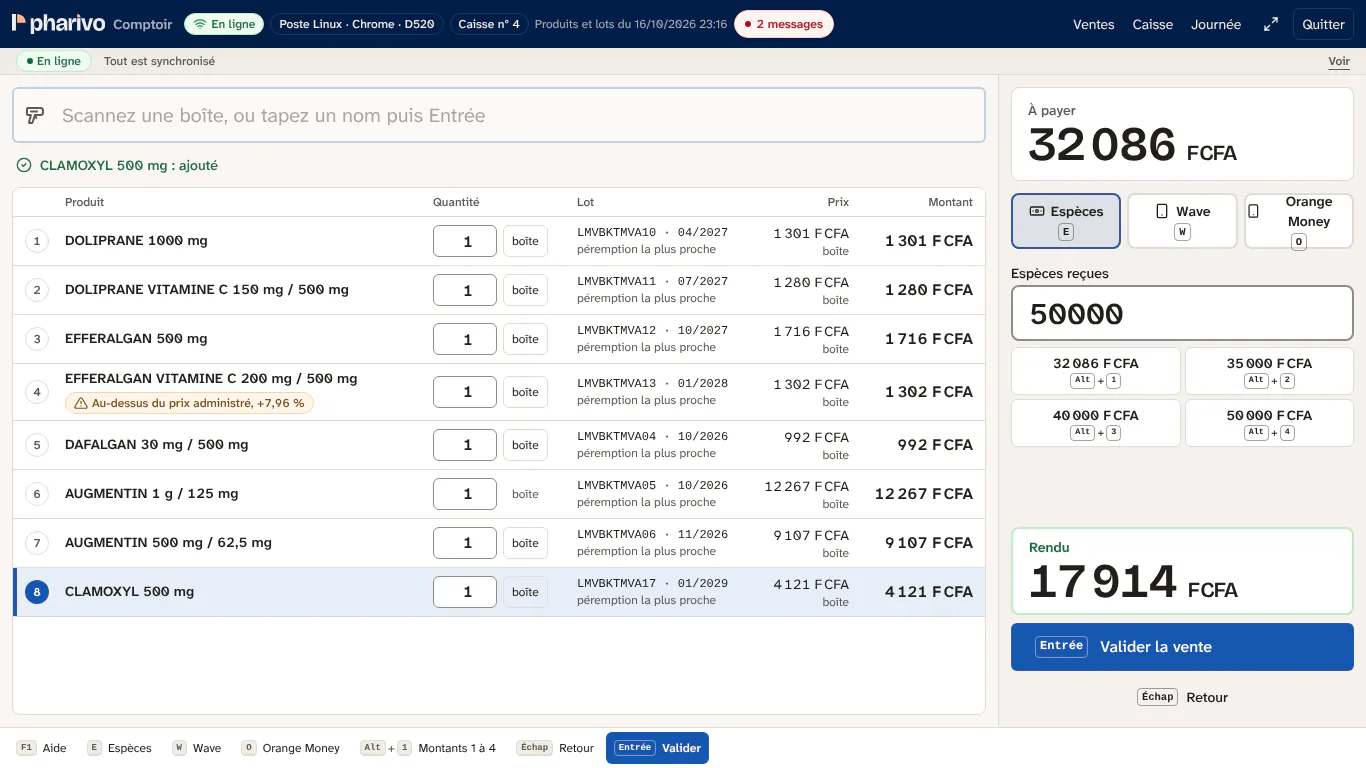
The counter keys.
Always shown at the bottom of the screen, and printed on an A5 card to keep by the computer.
- F1Help
- F3Find a product
- F4Change the quantity
- F5Put on hold
- Maj + F5Resume a sale
- F7Discount
- F8Last sale
- F9Take payment
The basket
Eight lines, all on screen.
Each line shows the product, the quantity, the batch going out, the price and the amount. A gap with the regulated price shows with its percentage, next to the total.
- The batch closest to expiry goes first.
- An out-of-stock product does not hold up the queue: the line says so.
- Removing a line leaves a trace, never a gap.
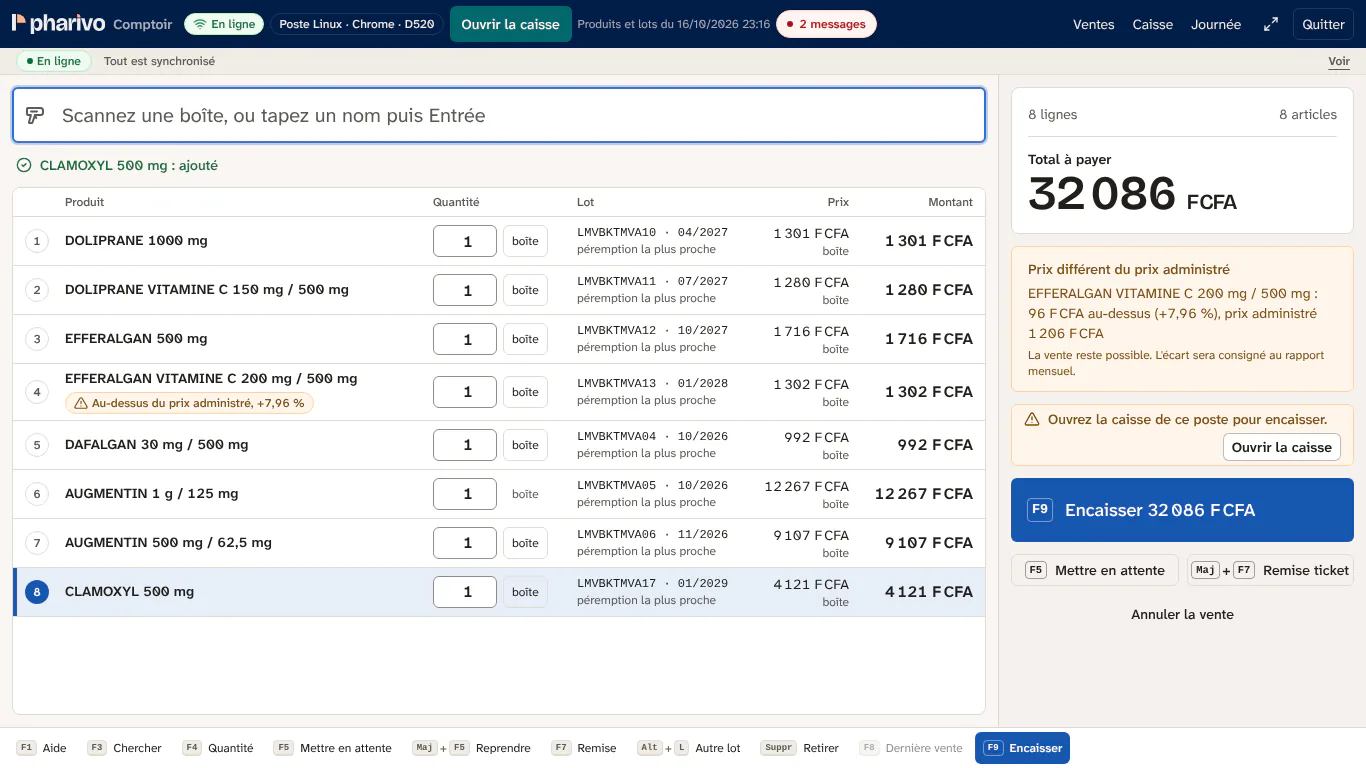
What the counter does not do.
- It gives no advice: it identifies products, it never says what to take or how much.
- It does not block a sale because of a price gap: it flags it, the pharmacist decides.
- Customer credit is not yet available in Pharivo.
Frequently asked questions
Which scanner do we need?
A USB scanner that reads barcodes and Data Matrix codes, set up as a keyboard: most models sold in Dakar work. Pharivo tests it at set-up.
What if the printer breaks down?
The sale is still recorded. The receipt can go by message, or be printed later from the sale's record.
Can several cashiers share one computer?
Yes. Each opens their own session; every sale carries its seller, and every till opens and closes on its computer.
The pilot
Three pilot pharmacies, with us, starting now.
Half price for a year, setup included: Pharivo installed on your computer, your catalogue taken over, your cashiers trained at the counter, and what bothers you fixed with you.