Stock and expiry
Every batch, its expiry, its history.
Pharivo keeps stock by batch, from delivery to sale, return to the wholesaler or destruction. Expiry is announced in stages, with its value in francs and the action to take.
Stock and expiry
Receiving with the scanner
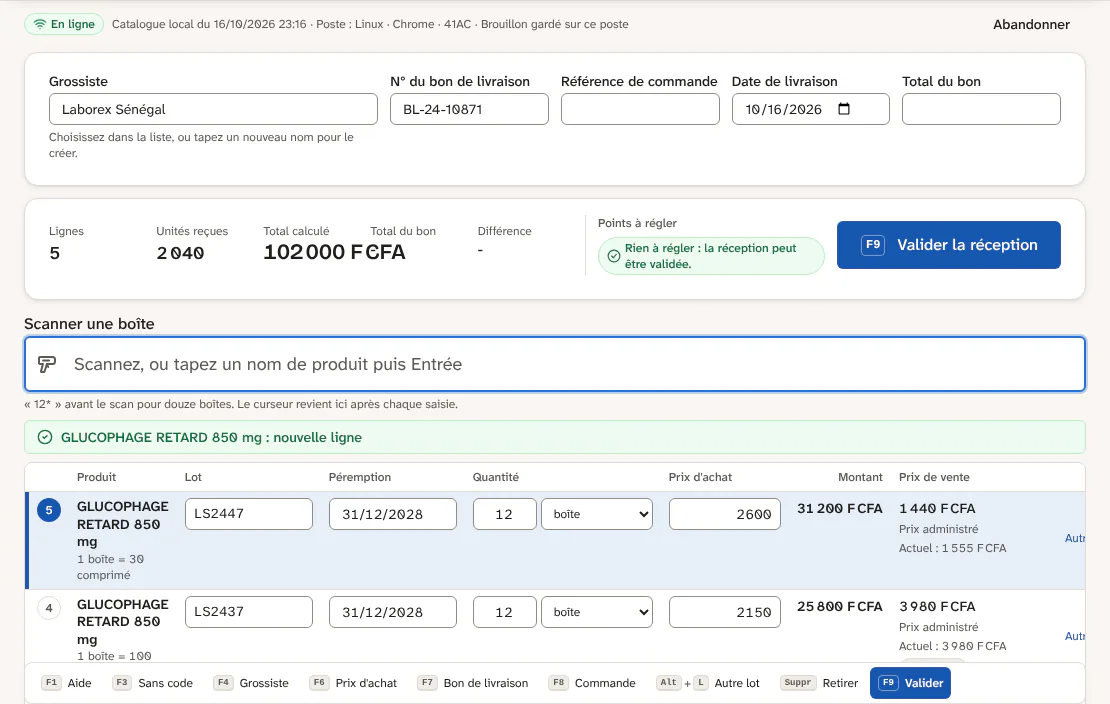
The box's GS1 code gives the product, the batch and the expiry date; quantities are checked against the delivery note.
Expiry in stages
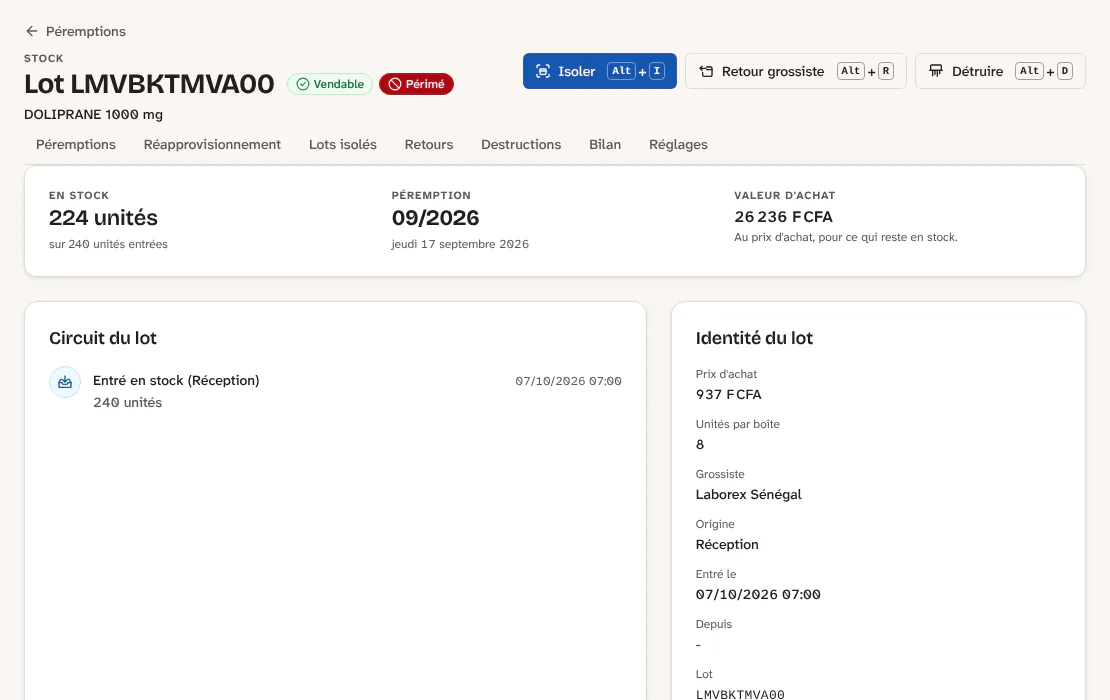
Six months, three months, one month, expired: each stage has its word and its icon, and the value at stake at purchase price.
The expired-stock circuit
Set aside, return to the wholesaler, track the credit note, or destroy with supporting evidence: every batch keeps its trail.
Restocking
Products below their threshold appear on Today, with the quantity to order.
Stocktaking by scan
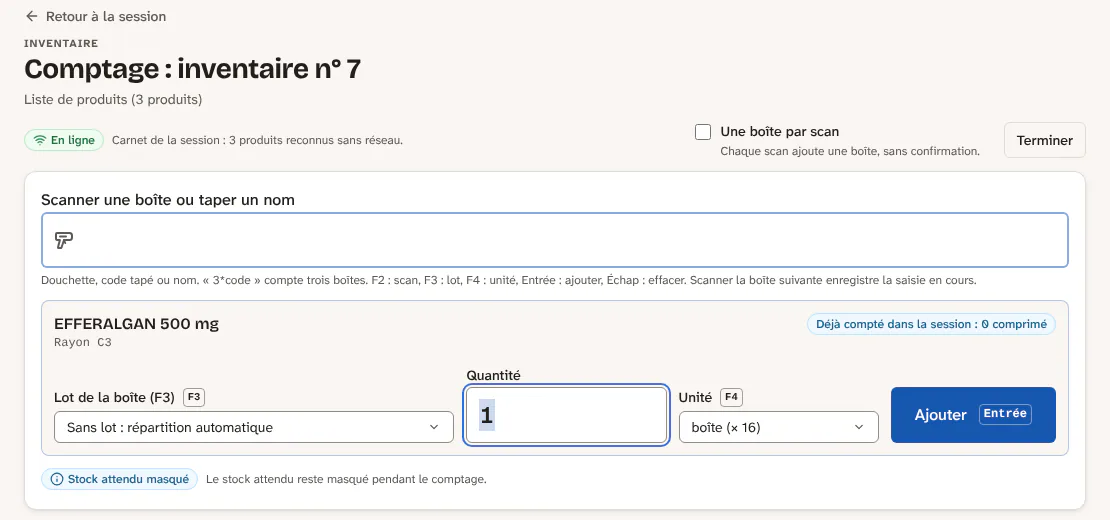
Rolling or full counts, with the scanner, expected stock hidden while counting; discrepancies are sorted by amount.
Batch recalls
A batch subject to an ARP recall is flagged in your stock, and it can no longer be sold.
On delivery
Receiving without a single click.
The technician scans each box: batch and expiry fill in, the quantity adds up, and differences with the delivery note show before approval.
- The wholesaler and the delivery note number at the top.
- Lines without a purchase price flagged before approval.
- Approved deliveries enter stock, batch by batch.
At stocktaking
Counting without seeing what is expected.
While counting, expected stock stays hidden: you count what is on the shelf, not what the screen announces. Discrepancies come at closing, sorted by amount.
- One box per scan, or a typed quantity.
- Counting goes on without a network.
- Each approved discrepancy goes to the log, with its reason.
What Pharivo does not do yet.
- It does not place orders with the wholesaler: it prepares the list, you send it.
- It does not decide on a destruction: only a pharmacist does it, with supporting evidence.
Frequently asked questions
Do we have to count all the stock before starting?
Once, with us, at set-up. After that, stock comes from sales and deliveries; rolling counts check it shelf by shelf.
What about boxes without a Data Matrix?
The barcode is enough: the batch is chosen from the list, or allocated first to the batch closest to expiry.
Who can set aside or destroy a batch?
A pharmacist, owner or assistant. Destruction requires supporting evidence, and every action stays in the log with its author.
The pilot
Three pilot pharmacies, with us, starting now.
Half price for a year, setup included: Pharivo installed on your computer, your catalogue taken over, your cashiers trained at the counter, and what bothers you fixed with you.